Introduction
In today’s fast-paced business environment, managing sales, customers, suppliers, and users efficiently is crucial. A well-integrated Point of Sale (POS) and Customer Relationship Management (CRM) system can help businesses streamline operations, improve customer relationships, and optimize financial transactions. This article explores the key features of business management software, focusing on customer management, sales tracking, role-based access, and supplier management.
Dashboard Overview
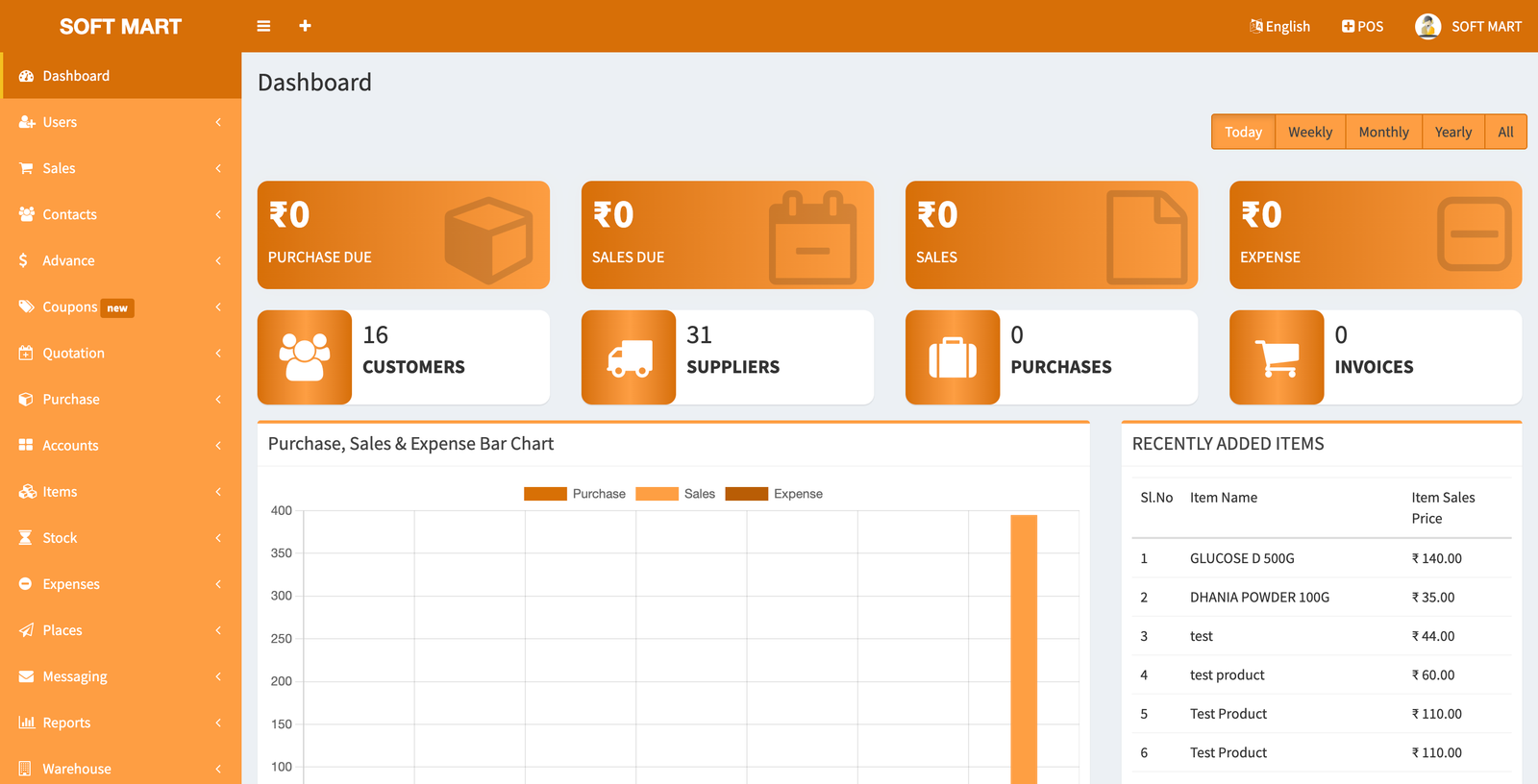
A business management system usually begins with a dashboard, providing a comprehensive view of operations. This dashboard typically includes:
- Quick access to users, sales, and contacts.
- Customer and supplier management.
- Import/export functionalities.
- Inventory and stock management.
- Expense tracking and purchase history.
Having an intuitive dashboard enhances efficiency by centralizing data and reducing the time needed to navigate multiple sections.
Customer Management
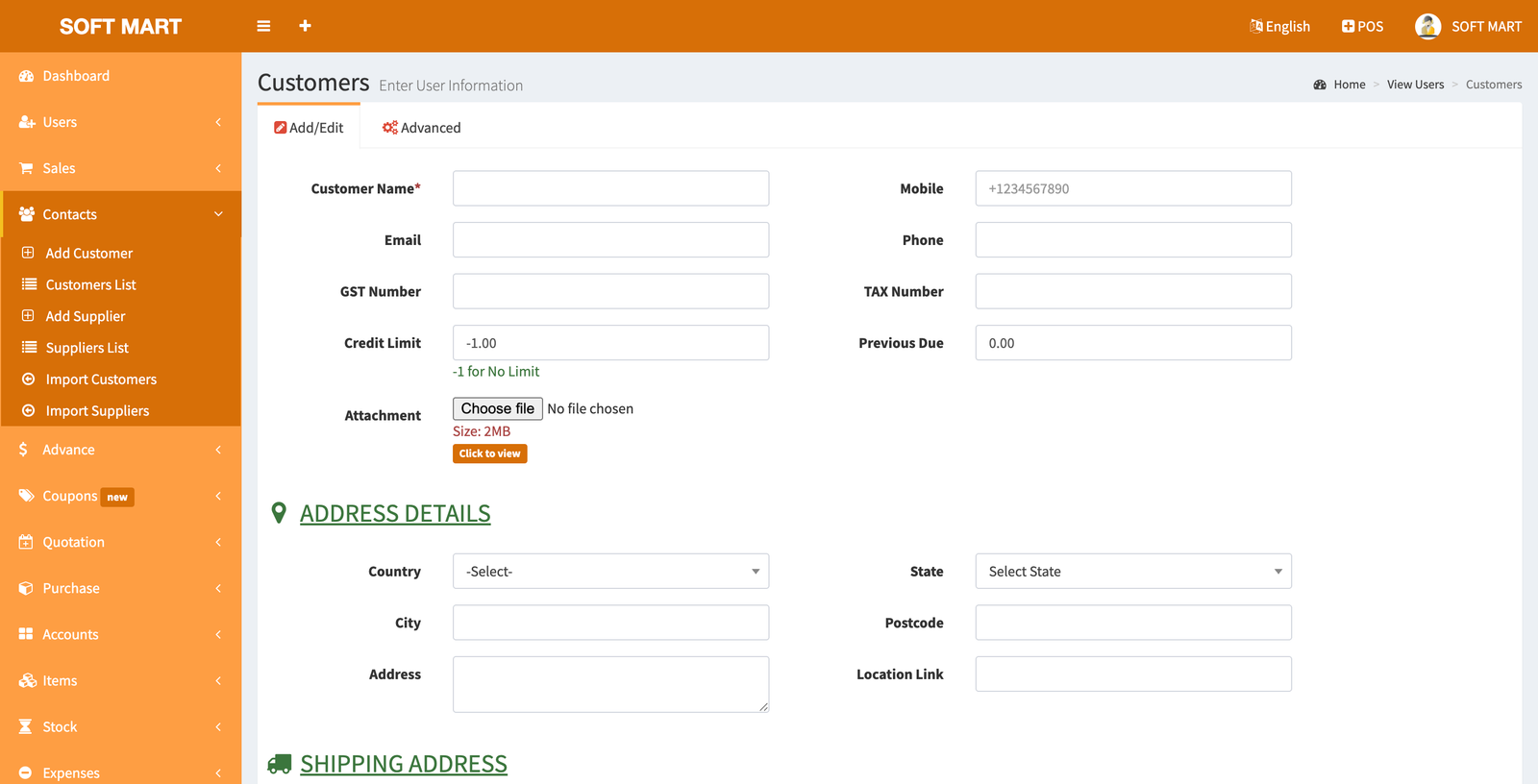
Handling customer information effectively is crucial for business success. A POS-CRM system allows businesses to:
- Add/Edit Customer Details: Store customer names, emails, GST numbers, and credit limits.
- Manage Customer Addresses: Store billing and shipping addresses, contact numbers, and location links.
- Credit Management: Set credit limits to streamline payments and avoid financial discrepancies.
- Tax Information: Store and retrieve tax numbers to ensure compliance.
Sales and Transactions
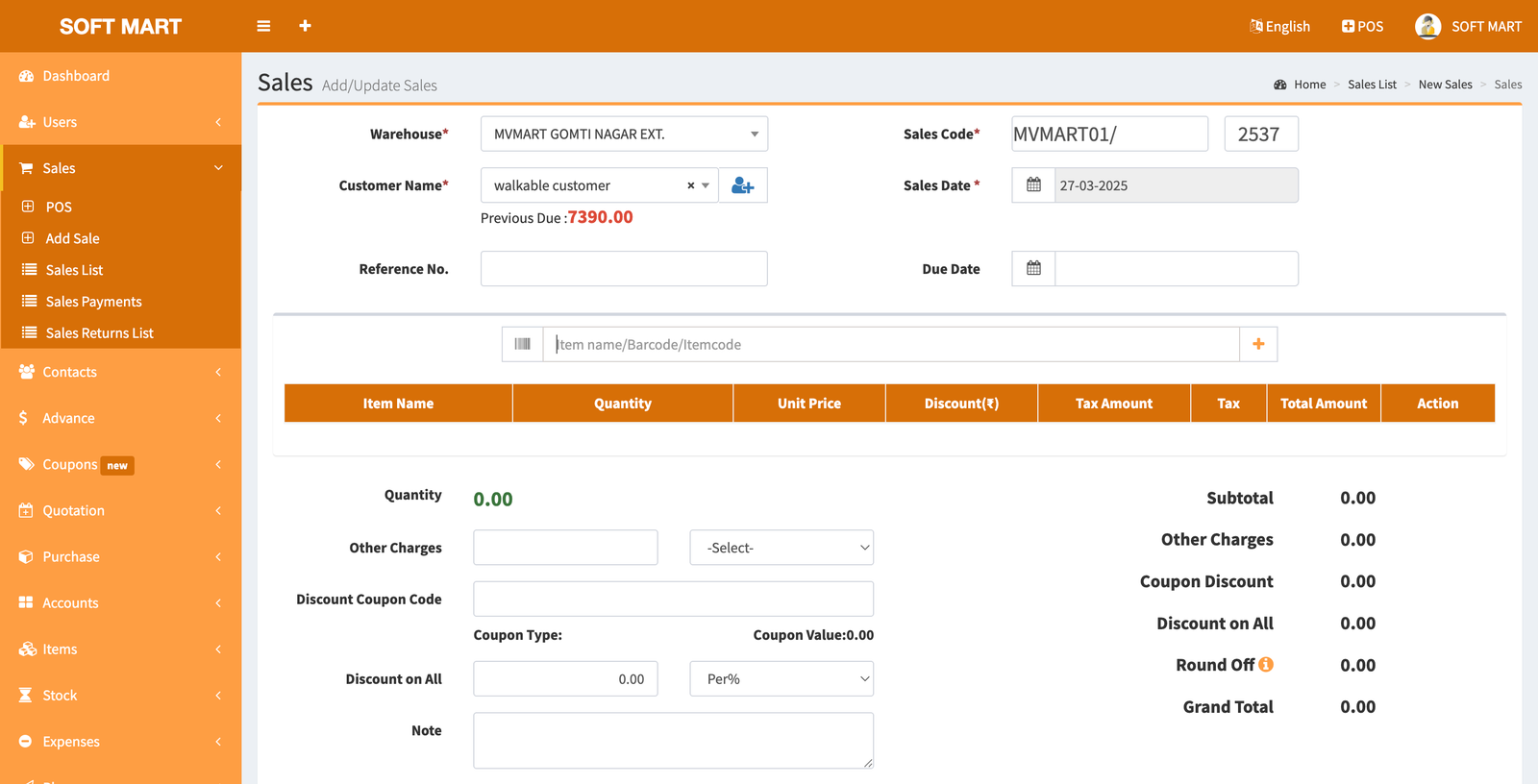
Sales tracking is an essential feature of any POS system. With a proper sales module, businesses can:
- Monitor Sales Activity: View and manage invoices, payments, and account receivables.
- Generate Sales Reports: Track daily, weekly, and monthly sales trends.
- Quotation & Purchase Management: Easily create quotations and track purchases.
- Discounts & Coupons: Implement promotional strategies through discount codes and coupon management.
Role-Based Access & User Management
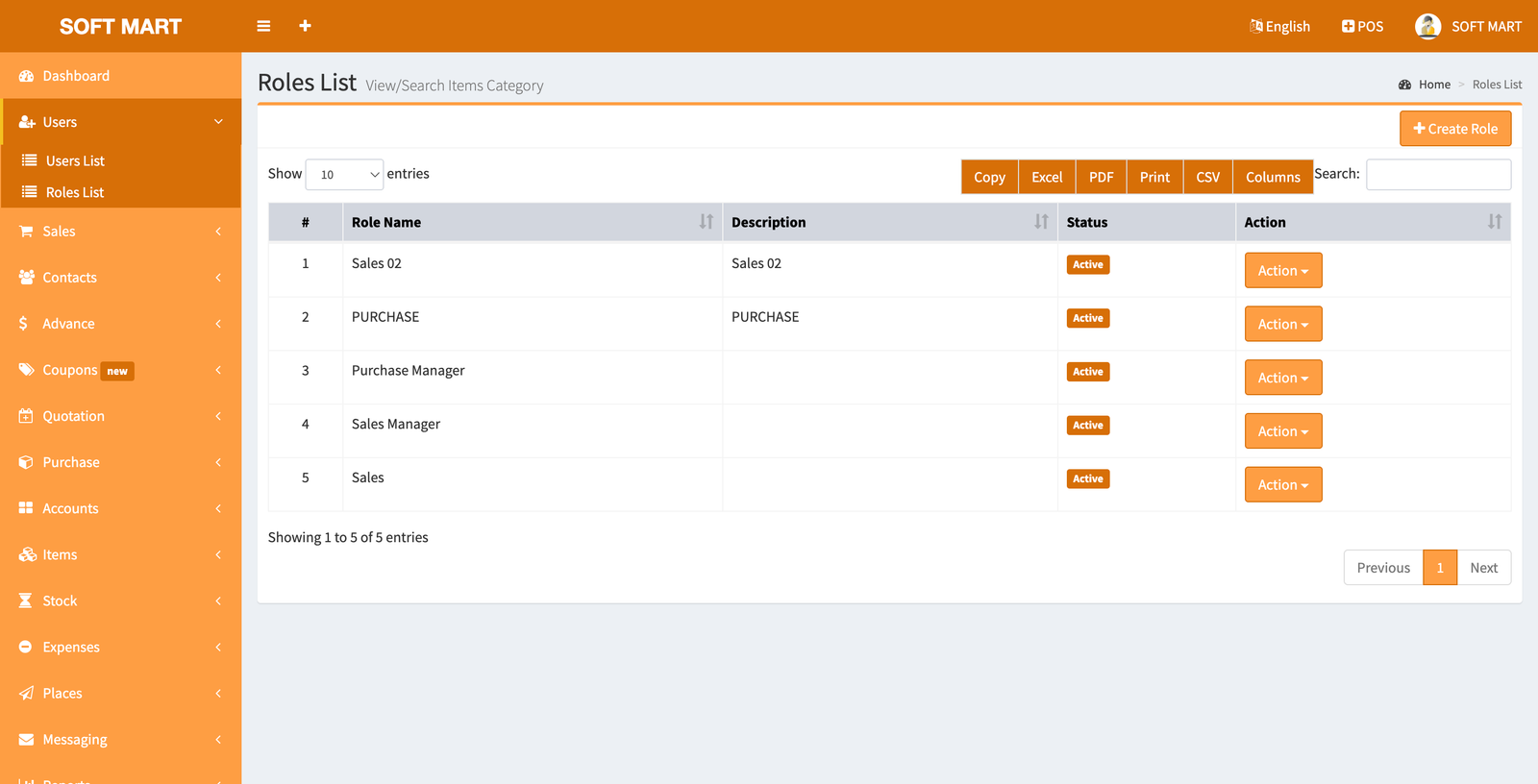
Managing different user roles ensures security and operational efficiency. The Roles List section provides access control by defining specific permissions for each user type:
- Admin: Full access to all modules.
- Sales Manager: Can manage sales and generate reports but cannot modify system settings.
- Cashier: Restricted to processing transactions and handling customer purchases.
- Inventory Manager: Controls stock and supplier data.
By assigning specific roles, businesses can maintain data integrity and prevent unauthorized modifications.
Supplier Management
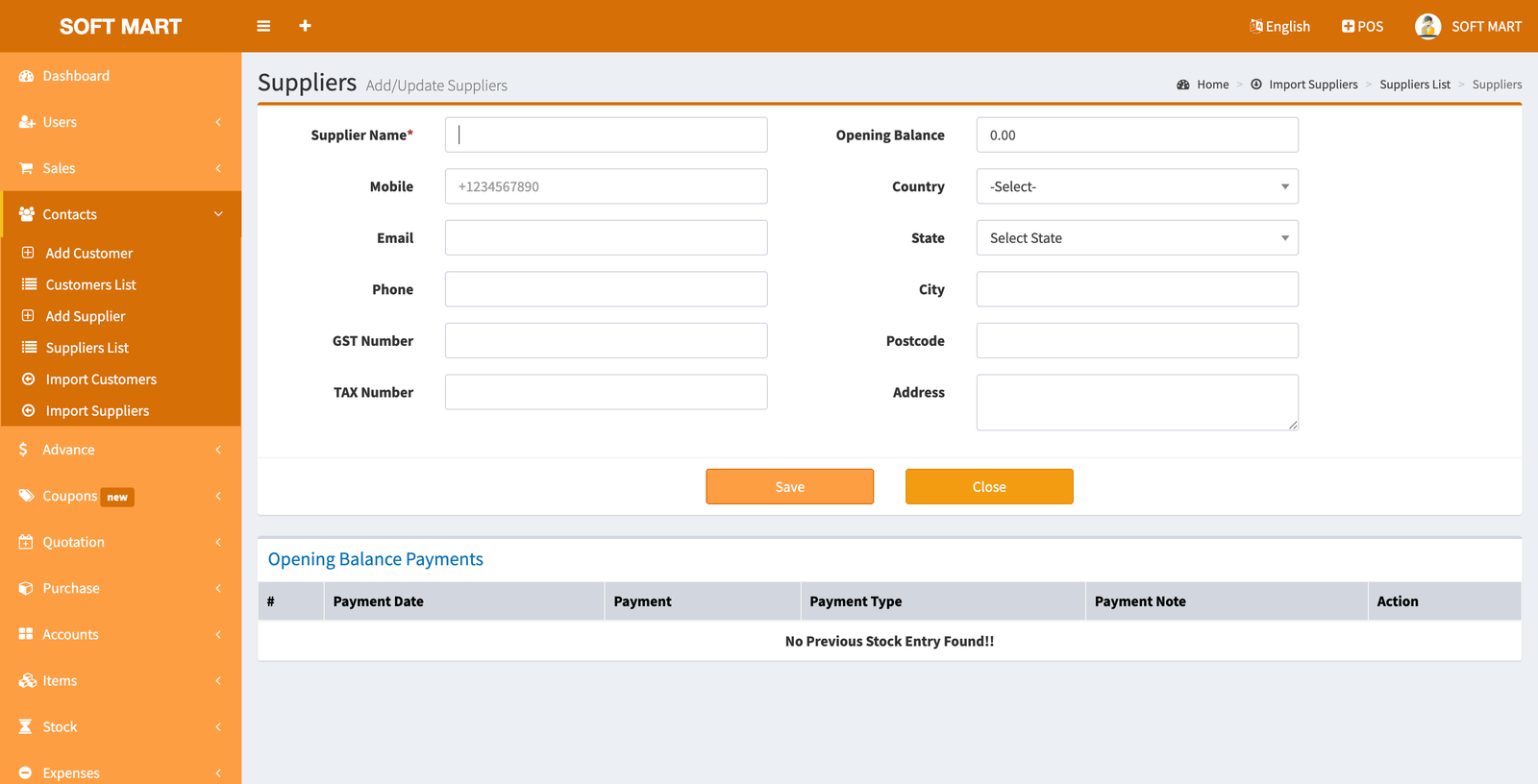
A POS-CRM system should also facilitate seamless supplier interactions. The Suppliers List module includes:
- Adding/Editing Supplier Details: Store supplier names, contact details, and GST numbers.
- Tracking Purchase Orders: Monitor past and current transactions.
- Payment Management: Ensure timely payments and maintain supplier relationships.
Expense & Stock Management
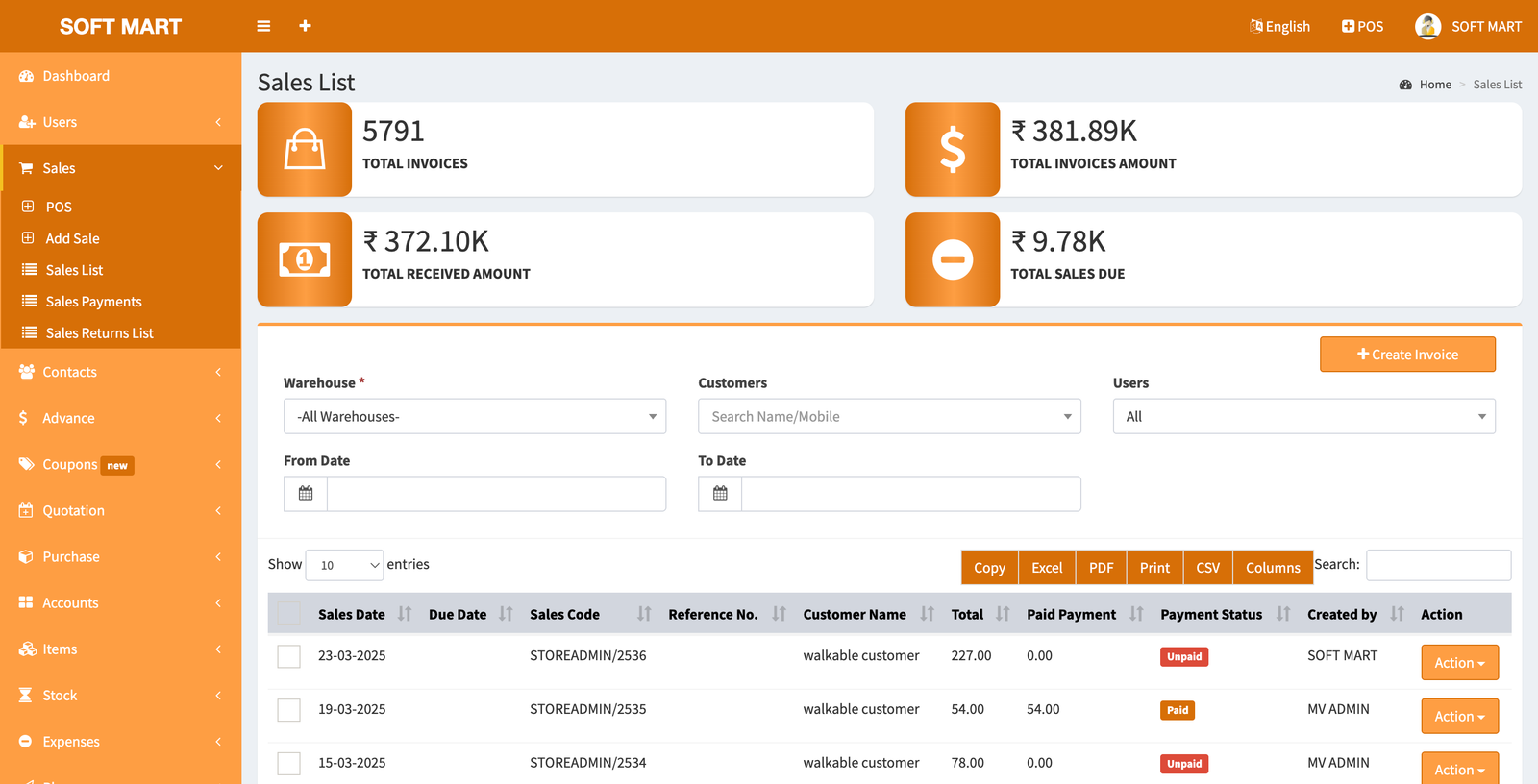
Stock and expense tracking are crucial for financial control. Key functionalities include:
- Stock Adjustments: Monitor inventory levels to prevent shortages.
- Expense Tracking: Record daily business expenses to maintain financial health.
- Accounts Management: Ensure accurate bookkeeping and tax compliance.
Conclusion
A well-implemented POS-CRM system can significantly enhance business operations by optimizing customer interactions, streamlining sales, managing inventory, and maintaining accurate financial records. Businesses looking to scale should invest in a comprehensive system that integrates these essential features to maximize efficiency and growth.
For More Details Contact Us:-
Get in Touch with Softdkc – Let’s Build Something Amazing!
GAt Softdkc, we are always ready to assist you with your software development needs. Whether you have a project idea, need technical support, or want to collaborate, feel free to reach out!